How to Get the Harry Potter Chocolate Frog Back Bling in Fortnite
Epic Games used the spotlight of The Game Awards 2025 to unveil a limited-time treat for Fortnite players: the Harry Potter Chocolate Frog Back Bling. The guide below walks you through exactly how to claim it before this magical freebie hops into the vault on December 18, 2025.
Step 1: Download and Install Hogwarts Legacy on Epic Games
To unlock the Chocolate Frog Back Bling, start by claiming the free Epic Games Store title for December 11–18, which is Hogwarts Legacy.
Once it’s in your library, install the game so it’s marked as playable on your PC. With that squared away, you’re already most of the way there.
Step 2: Play Hogwarts Legacy on Epic Games for 2 Hours
Your next requirement is simple: reach 2 hours of total playtime in Hogwarts Legacy. How you get there is entirely up to you. You can jump in and enjoy the adventure (it’s worth it), or let the game idle if you’ve already played it elsewhere.
To check your playtime, open the Epic Games Launcher and select Library from the left sidebar. Click the three dots beside Hogwarts Legacy, and your total hours will appear next to “You’ve Played.”
Step 3: Claim the Chocolate Frog Back Bling by Logging Into Fortnite
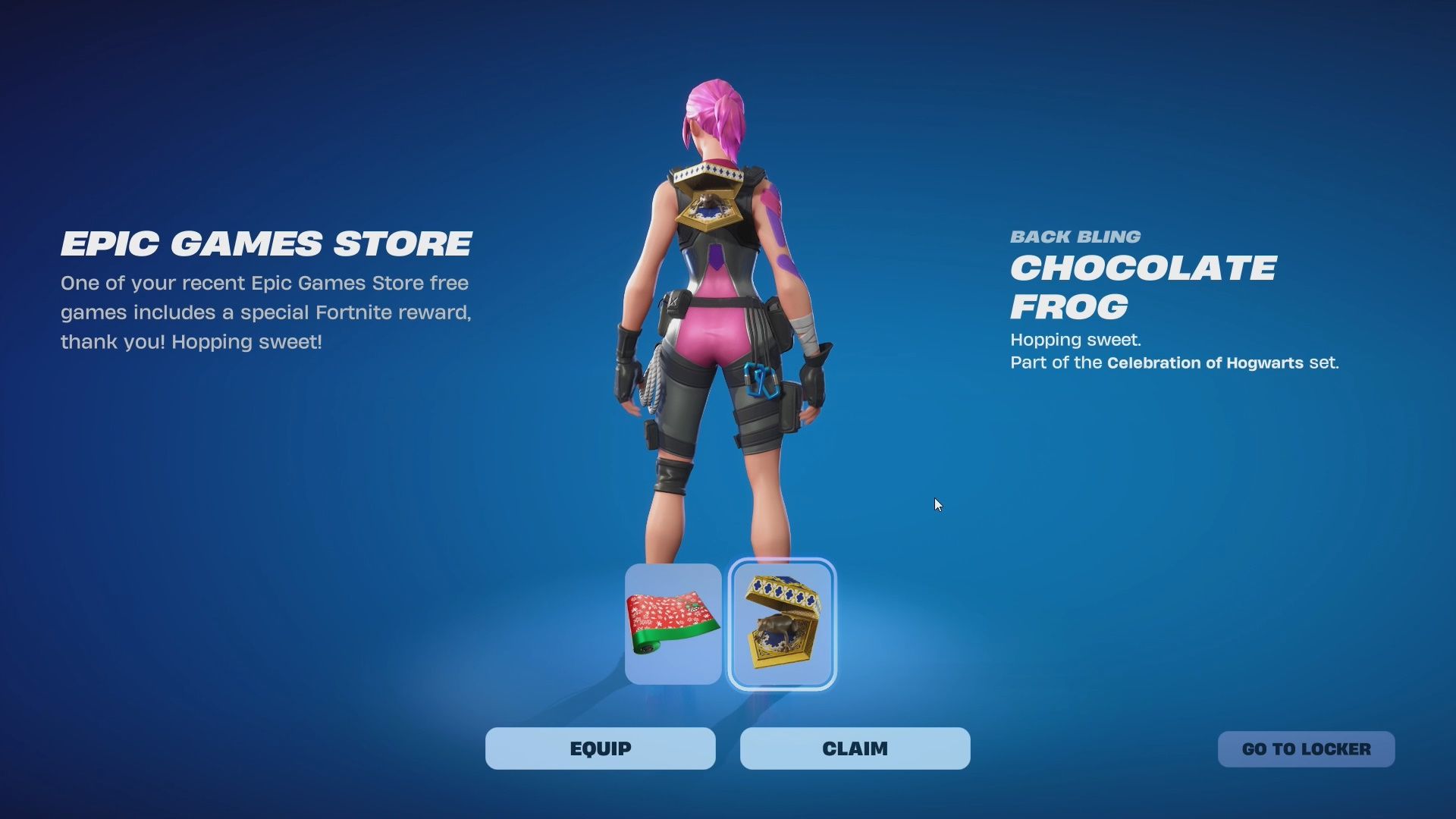
You’ll unlock the Chocolate Frog Back Bling if you’ve played Hogwarts Legacy for at least two hours before December 18 at 11:00 AM ET.
After Epic verifies your playtime, the Back Bling will be added to your Fortnite Locker. Delivery isn’t instant, so expect it to arrive within 24 to 48 hours after confirmation.
How to Equip the Chocolate Frog Back Bling in Fortnite
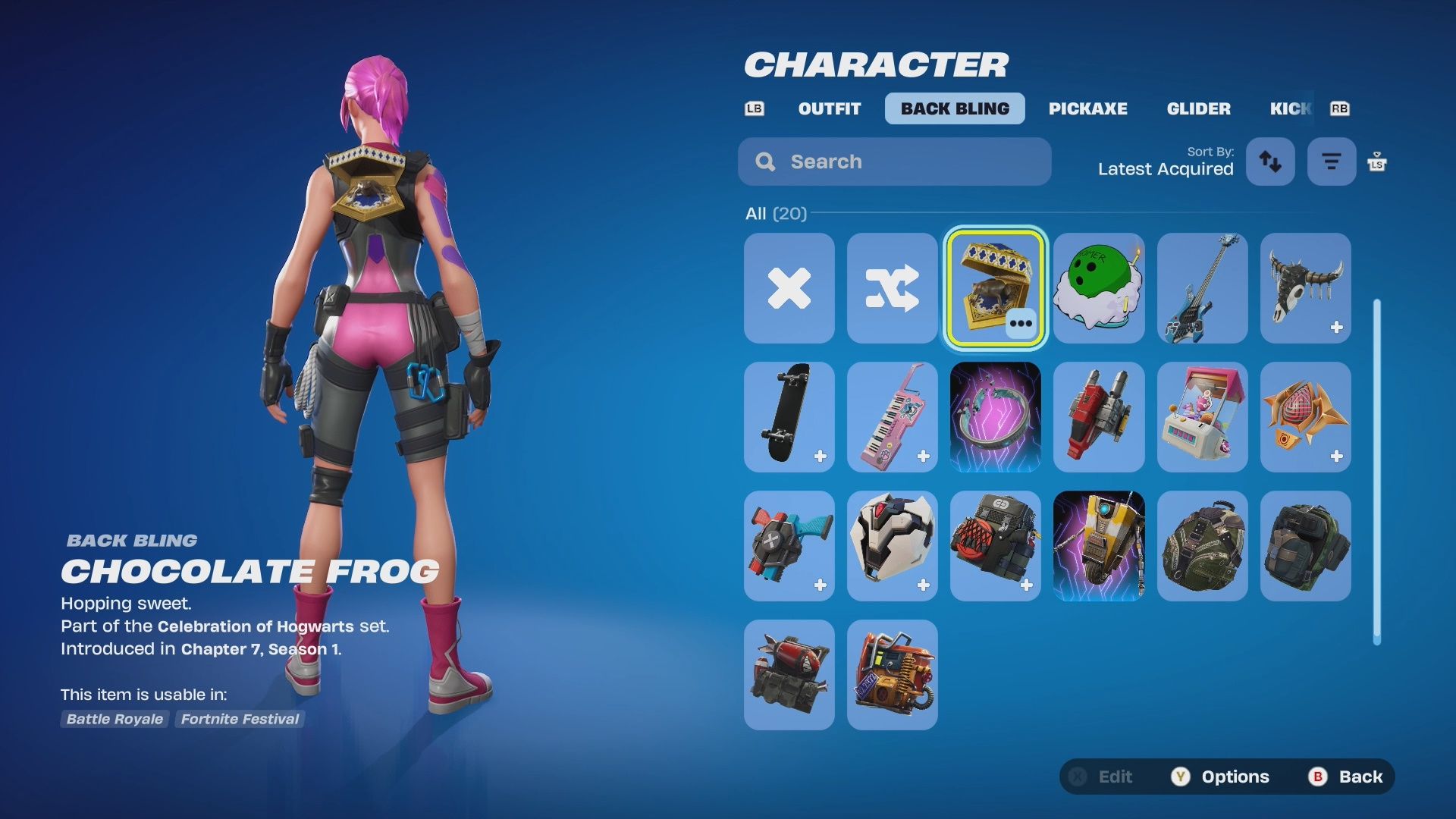
Once the Chocolate Frog Back Bling appears in your Locker, you can equip it in just a few clicks:
- Launch Fortnite and go to the Locker tab.
- Select your Back Bling slot on the left side of the screen.
- Scroll until you find the Chocolate Frog and choose it.
- Hit Save and Exit to lock in your loadout.
You’re now ready to hop into a match with your new magical companion.
Unlocking the Harry Potter Chocolate Frog Back Bling in Fortnite is a straightforward process, and following the steps above will have it hopping into your Locker before you know it. Claim the game, hit the playtime requirement, log in, and enjoy your new magical companion.
Comments/thoughts on our how to get the Harry Potter Chocolate Frog Back Bling in Fortnite guide? Drop them in the comments below.
