GTA Online AI Assistant Guide: Business Boost, Fast Travel, and Choosing Angel, Haviland, or OG
The Prix Luxury AI Concierge, widely known as the AI Assistant, is arguably the most valuable new feature accompanying the latest GTA Online Mansions introduced in the A Safehouse in the Hills update.
This intelligent companion is much more than a cosmetic addition to your new property. It offers powerful, real-world utility that streamlines logistics and significantly aids your in-game criminal operations. Crucially, the AI Assistant is not limited to your mansion; it’s accessible anywhere in Freemode via a new iFruit phone contact.
To help you integrate this tool effectively, this comprehensive guide will detail everything you need to know about the AI Assistant:
- How to select your preferred digital companion from the three distinct personas: Angel, Haviland, or OG.
- A full breakdown of the game-changing Business Production Boost, including its critical limitations and cooldown.
- How to utilize the Fast Travel and other premium services to save valuable time in Los Santos.
By the end of this guide, you will be equipped to fully leverage the AI Assistant to maximize your efficiency and income in GTA Online.
Choosing Your AI Assistant: Angel, Haviland, or OG
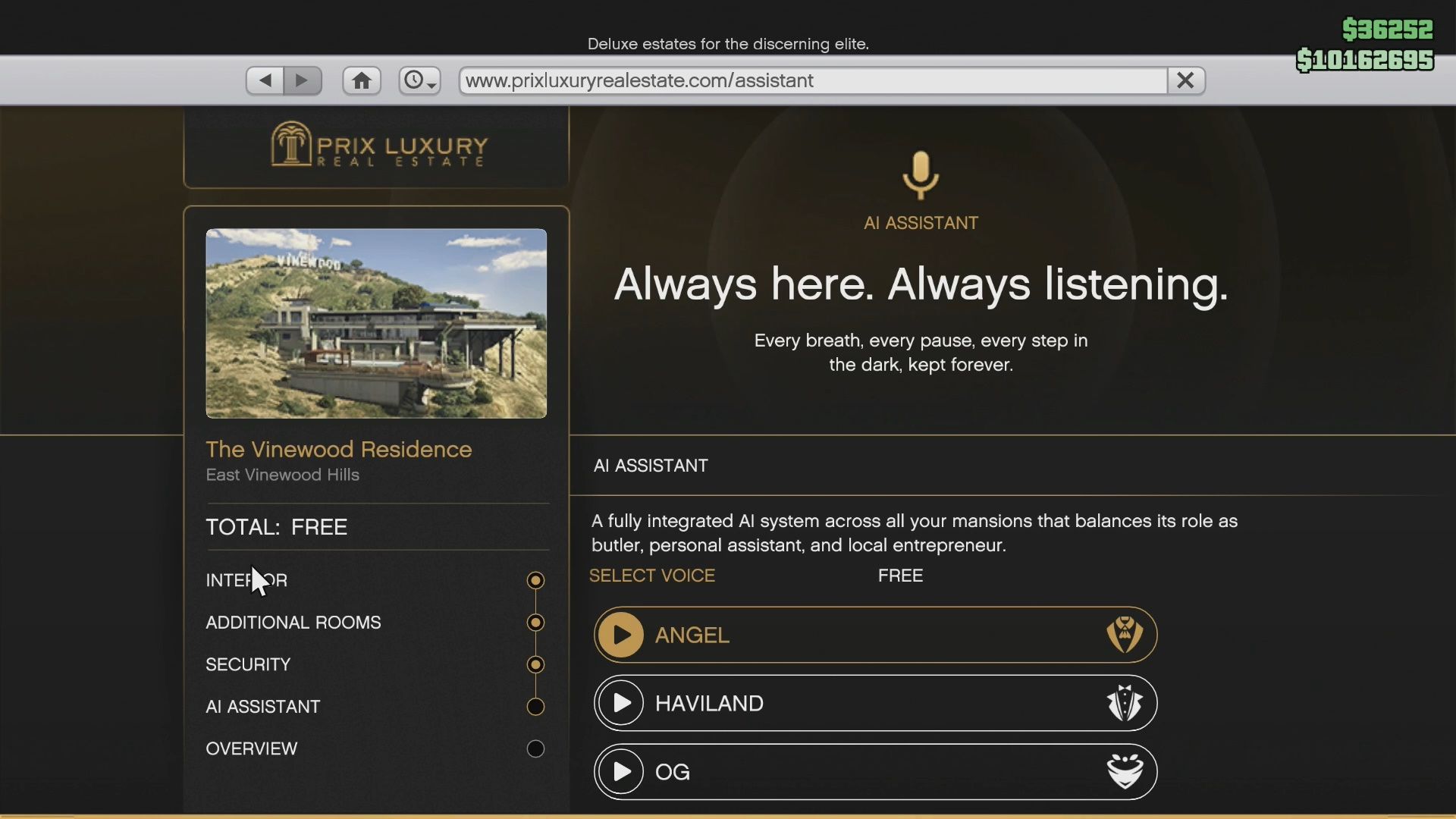
One of the first decisions you’ll make when purchasing a Mansion is selecting the personality of your AI Assistant. The excellent news is that the Prix Luxury AI Concierge feature, including your choice of voice, is a free component of your Mansion purchase—there is no extra setup fee.
You have a choice between three distinct personas—Angel, Haviland, and OG—which dictates the voice and dialogue you will hear every time you interact with the service.
The Essential Takeaway
It is crucial to know that the choice is purely cosmetic. All three assistants offer the exact same services, boost capabilities, and features. The only difference is their personality and vocal delivery.
If you purchase multiple Mansions, your chosen assistant (e.g., OG) will be the one assigned to all your properties. You cannot mix and match.
AI Assistant Persona Breakdown
Here is a quick breakdown of the three options to help you decide which voice best suits your crime boss persona:
| Persona | Voice & Accent | Personality/Tone | Key Dialogue Examples |
| Angel | Flirtatious, female voice. | Highly enthusiastic and supportive, often using pet names and affectionate dialogue. | Calls male characters “Daddy” and female characters “Mommy” or “Queen.” |
| Haviland | Formal, British male accent. | Very professional, calm, and respectful, reminiscent of a classic butler or a high-tech AI (like Jarvis). | Uses sophisticated, precise language and maintains a very proper, neutral tone. |
| OG | Casual, street-smart male voice (voiced by Big Tray Deee). | Relaxed, straightforward, and uses modern slang and informal language. | Often refers to you as “Homie” or “My OG.” Offers advice with a confident, street-wise tone. |
How to Change Your AI Assistant
While your initial choice of AI voice (Angel, Haviland, or OG) is a persistent setting across all your owned Mansions, you are absolutely not locked in if you get tired of their personality.
To change your AI Assistant, you must initiate a renovation of your property. Simply open your phone’s browser, navigate back to the Prix Luxury Real Estate website, select your Mansion, and choose the Renovate option. You can then select a new voice from the AI Assistant screen.
Turning Off the AI Assistant
The chatty nature of the AI Assistant (especially if you chose Angel or OG) can sometimes be distracting, but thankfully, you can easily turn off its dialogue without losing any of its valuable services.
To completely mute the voice, simply open the Interaction Menu while inside your Mansion, navigate to Mansion Management, select Audio from the sub-menu, and toggle the AI Assistant’s voice Off.
Interacting with the AI Assistant (In-Mansion vs. Freemode)
The Prix Luxury AI Concierge is designed for maximum convenience, allowing you to access its suite of services whether you are relaxing inside your Mansion or deep in the chaos of a Freemode session.
1. In-Mansion Access: The Wall Tablets
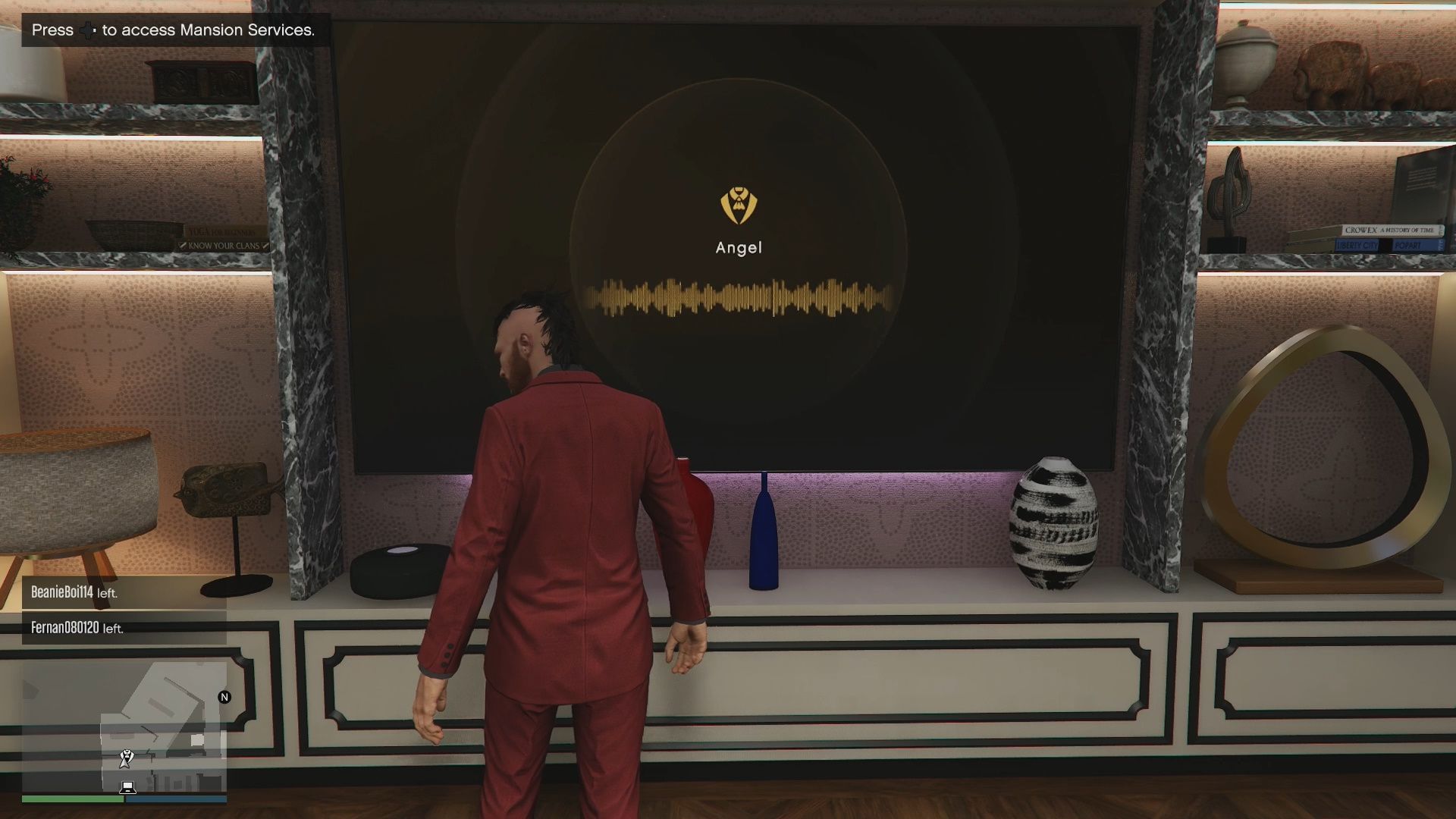
When you are inside your Mansion, you will primarily interact with the assistant via dedicated physical screens:
- Physical Location: The AI tablets are located on walls around your Mansion, and there is also one very large screen in your executive office.
- Mansion Services: Most actions, including Fast Travel, Mansion Parties, Champagne Service, and Turning Off the Voice are accessed by opening the Interaction Menu while standing inside the property, not directly on the physical screens.
- Troubleshooting: Some players have reported that the tablets can occasionally stop working. If this happens, ensure your Expanded Radar setting is toggled Off, as this has been known to cause a visual bug.
2. Freemode Access: The iFruit Phone
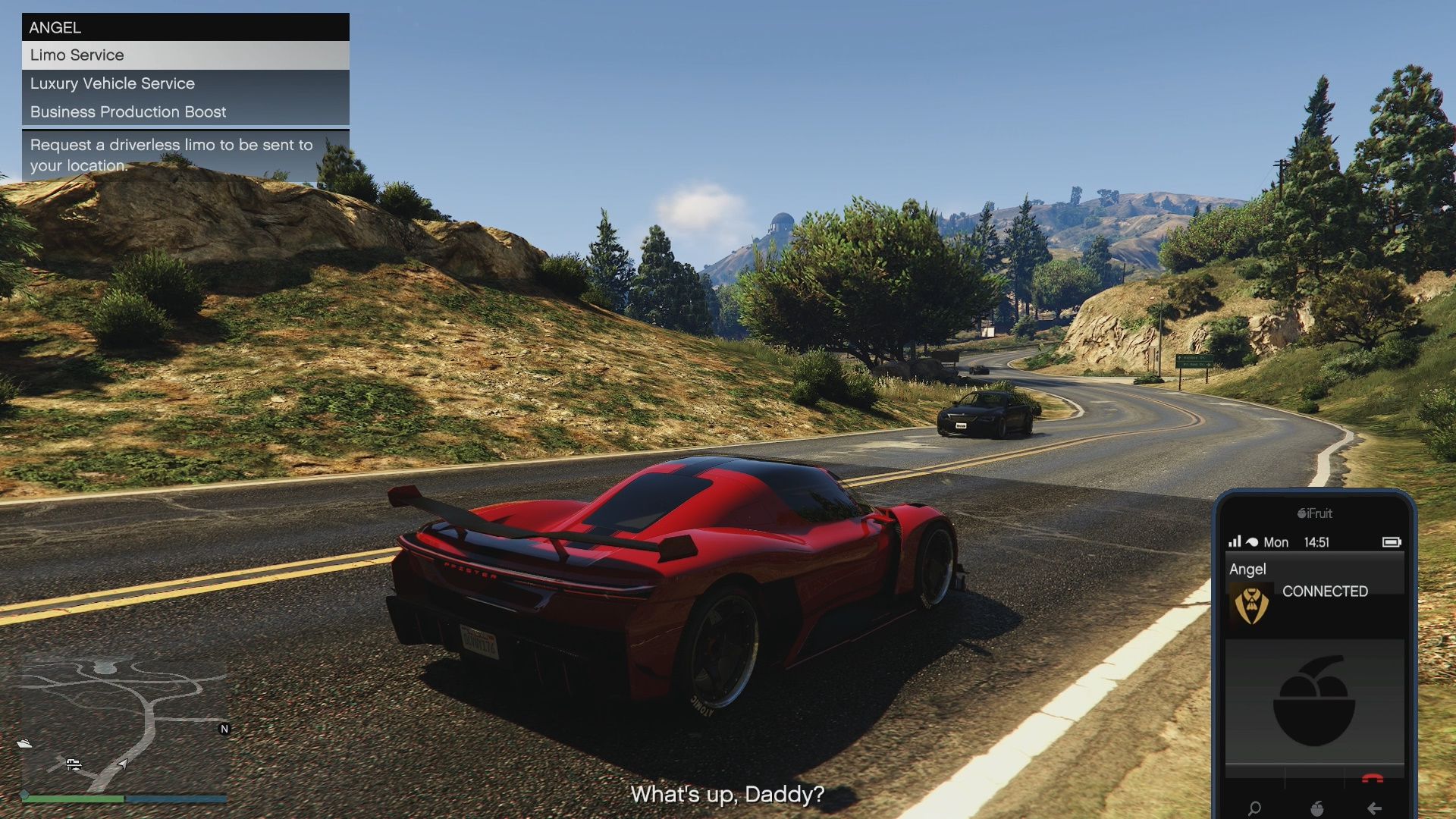
This is the feature that offers the most quality-of-life improvement. Once you have purchased a Mansion, the AI Assistant is immediately added as a permanent contact in your iFruit phone.
- Contact Name: The assistant is listed as the name you chose for its voice: Angel, Haviland, or OG.
- Freemode Services: Calling the assistant via your phone allows you to access its most critical features without needing to step foot in your Mansion:
- Initiate the Business Production Boost
- Request the Limo Service
- Request the Luxury Vehicle Service
- The Difference: You cannot start a Mansion Party, Fast Travel, or order Champagne Service via the phone. For those, you must be physically at the Mansion.
Core Function: The Business Production Boost (Daily Grind Changer)
The Business Production Boost is the flagship utility of the AI Assistant and the main reason players consider the Mansion a worthwhile investment.
What the Boost Does
- Effect: The boost provides a massive, temporary increase in production speed, effectively tripling the speed (a 200% increase or 66% time reduction) for the selected business.
- Duration: The production boost lasts for 24 real-world hours from the moment it is activated.
- Activation: Activated by calling the AI assistant on your iFruit phone while in Freemode or using the in-Mansion menus.
Eligible Businesses You Can Boost
The AI Assistant can apply the boost to any of the following businesses, provided they are not empty:
- Acid Lab (Must be upgraded)
- Bunker
- MC Businesses: Cocaine Lockup, Meth Lab, Weed Farm, Counterfeit Cash Factory, Document Forgery Office
- Does NOT affect Nightclub Warehouse accrual.
Cooldown and Critical Rotation Rule
This is the most important detail for optimizing daily use:
- Once Per Day: The boost is available once per day per daily server reset (around 1 AM EST / 6 AM GMT).
- No Back-to-Back Boosts: You cannot boost the same business two days in a row. You must rotate to a different business the following day.
The Acid Lab Super Stack
The most profitable use is stacking. The AI Assistant’s boost stacks with the Acid Lab’s Chemical Boost, resulting in an extreme acceleration of production speed. Always use the Mansion boost on the Acid Lab when the business is also running its Chemical Boost for the absolute fastest profit possible.
Fast Travel & Other Luxury Services
1. Instant Fast Travel
- How to Use: While standing inside your Mansion, interact with a wall tablet. The Fast Travel options will be listed there.
- Destination: You can fast-travel to any owned property (Apartments, Offices, Garages, Hangars, Bunkers, etc.).
2. Luxury Vehicle Services
Need a quick ride? Both services are accessed by using the mounted wall tablets or calling your AI assistant on the iFruit Phone Contact while in Freemode.
- Limo Service: Calls a driverless Deity that can take you to any waypoint you set.
- Luxury Vehicle Service: The AI can summon a range of premium cars right to the Mansion, ready for you to drive.
3. Automatic Raid Protection & Alerts (The Security Perk)
If you purchased the optional Private Security upgrade for your Mansion, the AI Assistant plays a vital role in protecting your long-term assets. When a raid would normally have triggered on a business with its own security upgrade, your AI Assistant will send you a text message notifying you that your security detail has successfully handled the situation, eliminating the threat.
4. Mansion Party
For social and flexing purposes, you can initiate a private or public Mansion Party by opening the Mansion Services menu while inside your property.
The Prix Luxury AI Concierge is far more than a luxury feature—it is a game-changer for veteran and dedicated players. Its ability to simplify logistics, provide instant Fast Travel from your Mansion, and, most importantly, provide a Business Production Boost that triples the output speed of your biggest income generators (like the Acid Lab and Bunker) for 24 hours makes the Mansion a genuine asset.
Thoughts on our GTA Online AI Assistant guide? Drop them in the comments below.
